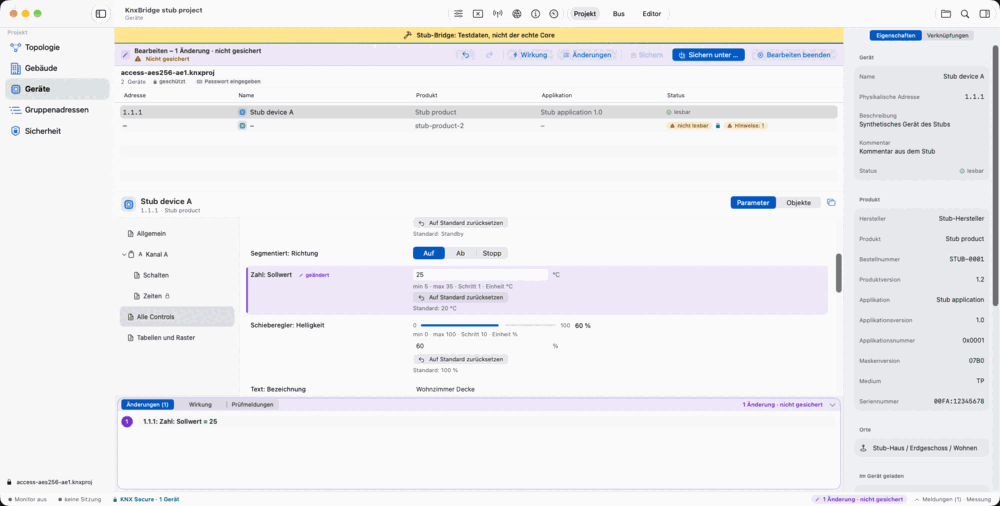
Start a deliberate editing session
The editor begins with a project you have already opened. Editing requires a supported, password-protected project; you may need to enter the project password again when starting the session. The app indicates which entries can be edited.
The focus is on specific changes to an existing project: adjusting a parameter, giving a group address a clearer name or changing an object link. This does not promise unrestricted project creation with arbitrary products.
Parameters, addresses and links
Input follows the relevant parameter and its supported rules. Dependencies within the parameter pages are taken into account. A rejected value comes with an explanation rather than being silently accepted.
Beyond parameters, the editor supports several changes to the project structure. Availability for a particular entry depends on product data, the project state and, where applicable, Secure requirements.
- Parameter values
- Change supported values through the corresponding input controls.
- Group addresses
- Create, rename or delete group addresses where the project checks permit it.
- Object links
- Link group addresses to communication objects or remove links; choose the sending address.
- Object settings
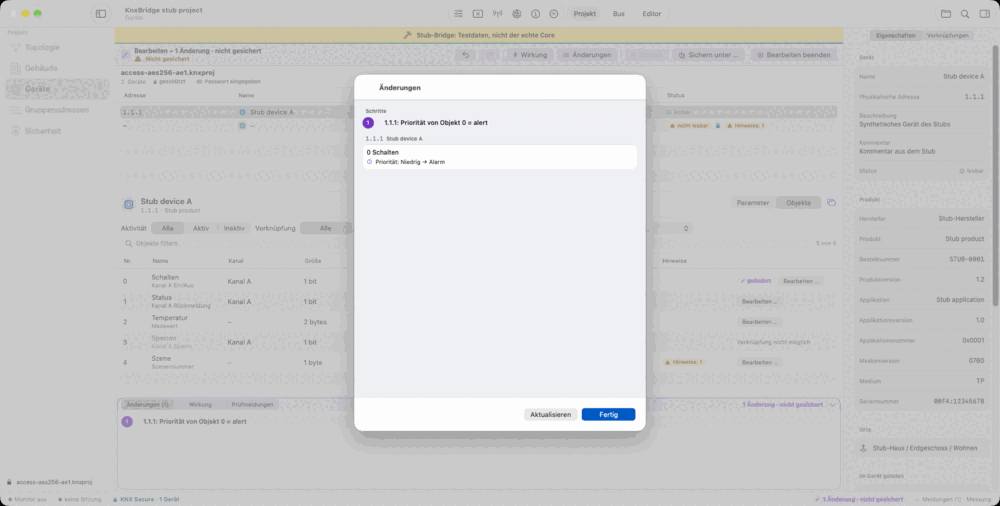
- Edit supported flags and priorities of a communication object.
See more than the new value
The changes view lists accepted changes with their corresponding labels. Undo and redo help you explore alternatives or take a single step back. Changes remain traceable within a shared editing session.
The Impact view lets you inspect effects on the affected, supported devices. This includes the configuration data and tables calculated by the core. Diagnostic messages identify limitations or explain why a change cannot be accepted.
These checks describe changes to the project. They do not replace a functional test of the real installation and do not trigger a device download.
Keep the original as your starting point
The first output uses Save As to create a separate file. The original project file is not overwritten. A file written by KNX Atlas can then be edited further and saved again.
On Mac, use the save panel; on iPad, choose a destination folder. Unsaved changes are visibly marked. On Mac, the app asks before closing or quitting with changes; on iPad, save before switching to other apps.
Plan how you will use the file afterwards
A project edited by KNX Atlas should not be treated as guaranteed to import directly into ETS. In the current development state, the standard ETS import dialog rejects externally modified projects because of its signature check.
Technical readability has been checked through a separate validation path. That is not an ordinary import workflow for users. If you need to use the file through the ETS dialog afterwards, this limitation matters before you begin editing.
Saving changes the project file only. It does not deliver new parameters, group addresses or application data to the real installation.